How to integrate with a front-end
This section will show how to integrate your smart contract to a front-end, so users can interact with it. We assume that you already have the basic knowledge of front-end development, so we will not spend much time introducing this part of the code, but mostly be focusing on how to interact with the smart contract in the front-end project.
Create a project
First, create the root directory of the project.
mkdir scrypt-web-example
cd scrypt-web-example
Create a contract project
Create a Helloworld project and build it:
npx @scrypt-inc/cli-btc project helloworld
cd helloworld
npm run build
See the helloworld tutorial
Create a frontend project
Create your front-end project using React, Next, Vue, Angular, or Svelte.
React
Run the following command to create a React project named helloworld.
cd ..
npx create-react-app frontend --template typescript
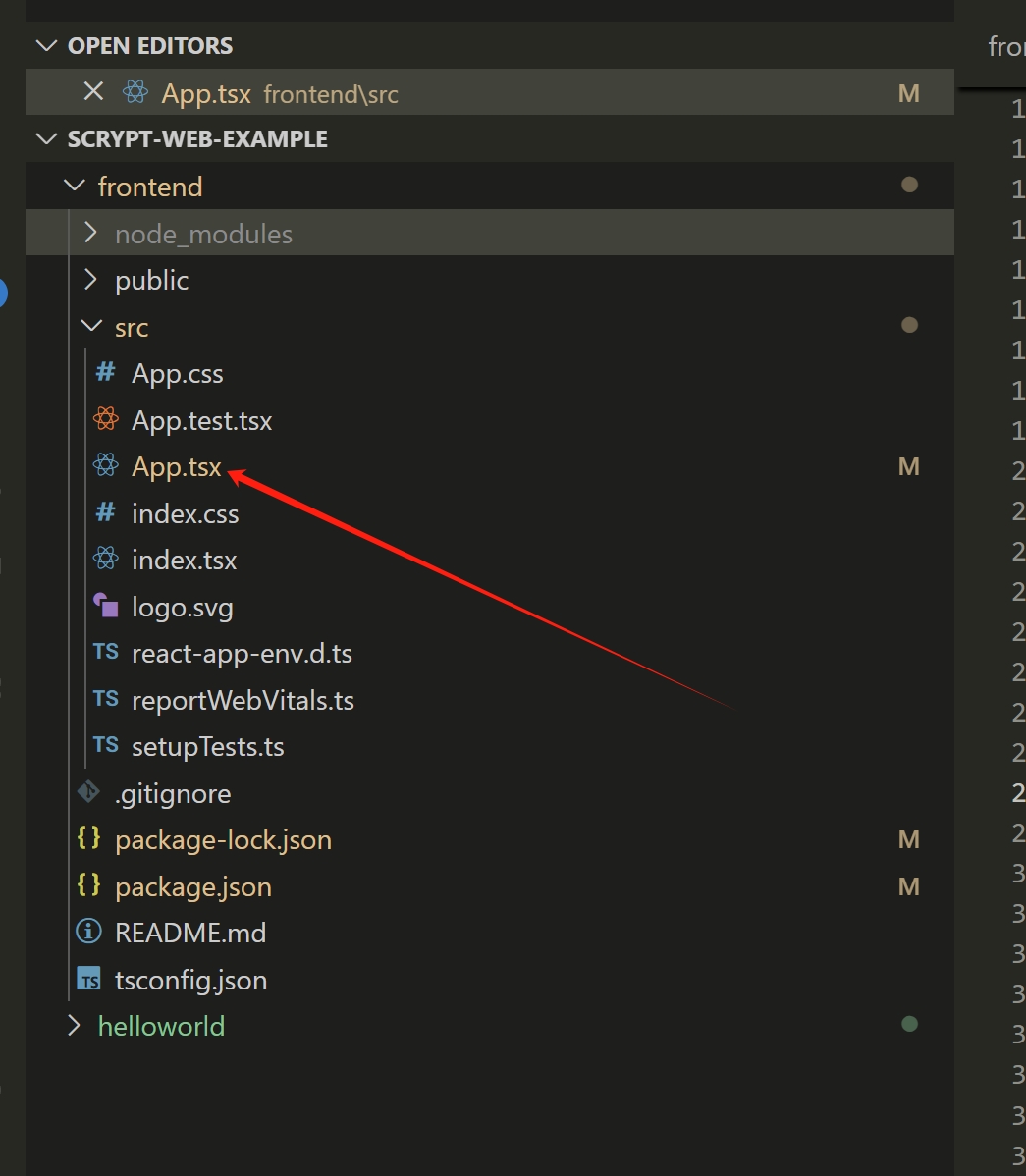
We will do most work under the src directory.
Next.js
Run the following command to create a Next.js project.
npx create-next-app frontend --typescript --use-npm
Vue.js
Vite
Run the following command to create a Vue 3.x project bundled with Vite.
npm create vue@3
If you'd like to use Vue 2.x, run the following command to initialize the project scaffold.
npm create vue@2
Webpack
Run the following command to create a Vue project bundled with Webpack.
npx @vue/cli create frontend
Vue 3.x and 2.x bundled with Webpack are both supported.
When setting up the project, select Manually select features and enable TypeScript.
Angular
Run the following command to create an Angular project.
npx @angular/cli new frontend
Svelte
Run the following command to create a Svelte project.
npm create svelte@latest frontend
Install the contract dependency
cd frontend
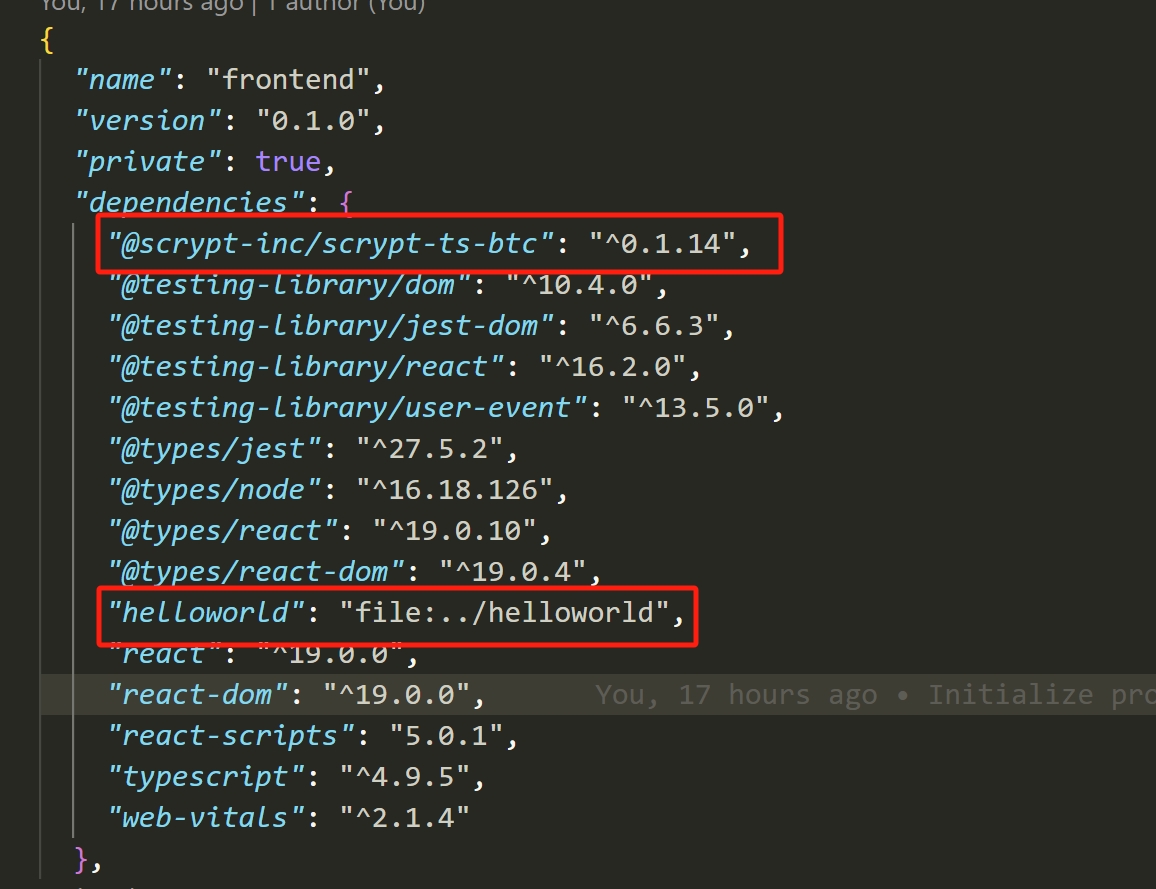
npm install @scrypt-inc/scrypt-ts-btc
npm install ../helloworld
This command installs the dependencies and configures the contract development environment. After this, we are ready to go!
Integrate Wallet
You will integrate unisat, a browser extension wallet, similar to MetaMask, into the project.
To request access to the wallet, you can use its APIs to create a signer:
declare global {
    interface Window {
        unisat: UnisatAPI
    }
}
const signer = new UnisatSigner(window.unisat);
create a provider:
const provider = new MempoolProvider('fractal-testnet')
create a psbt and use signer and provider to signer and deploy it:
const address = await signer.getAddress();
const psbt = new ExtPsbt();
const utxos = await provider.getUtxos(address);
const feeRate = await provider.getFeeRate();
psbt.addUTXO(utxos)
    .addCovenantOutput(covenant, satoshis)
    .change(address, feeRate);

// sign the psbts
const [signedPsbtHex] = await signer.signPsbts(psbt.psbtOptions());

// combine and finalize the signed psbts
const signedPsbt = ExtPsbt.fromHex(signedPsbtHex).finalizeAllInputs();

// broadcast the psbts
const deployTx = signedPsbt.extractTransaction();
await provider.broadcast(deployTx.toHex());
the scrypt SDK @scrypt-inc/scrypt-ts-btc provide deploy and call features, just use them in App.tsx:
import React from 'react';
import logo from './logo.svg';
import './App.css';
import { call, Covenant, deploy, MempoolProvider, sha256, toByteString, UnisatAPI, UnisatSigner } from '@scrypt-inc/scrypt-ts-btc';
import { Helloworld } from 'helloworld';

declare global {
    interface Window {
        unisat: UnisatAPI
    }
}

async function deployAndCall() {

  const covenant = Covenant.createCovenant(new Helloworld(sha256(toByteString("hello world", true))))

  const provider = new MempoolProvider('fractal-testnet')
  const signer = new UnisatSigner(window.unisat);

  const deployTx = await deploy(signer, provider, covenant);

  console.log(`Helloworld contract deployed: ${deployTx.getId()}`)

  const callTx = await call(signer, provider, covenant, {
      invokeMethod: (contract: Helloworld) => {
        contract.unlock(toByteString('hello world', true));
      },
  });

  console.log('Helloworld contract `unlock` called: ', callTx.getId());
}

function App() {
  return (
    <div className="App">
      <header className="App-header">
        <img src={logo} className="App-logo" alt="logo" />
        <button onClick={deployAndCall}>Deploy and Call</button>
      </header>
    </div>
  );
}

export default App;
Afterwards, you can interact with the contract from the front-end.
Go to the sCrypt Academy to see a step-by-step guide on how to build a Tic-Tac-Toe game on chain.